Button
Triggers an action in place: submit, save, open a dialog.
- Navigating to another page: use Link.
- An icon with no visible text: use IconButton.
Install
Terminal
pnpm dlx shadcn@latest add @acme/buttonOr import from the package: import { Button } from '@acme/react'
Examples
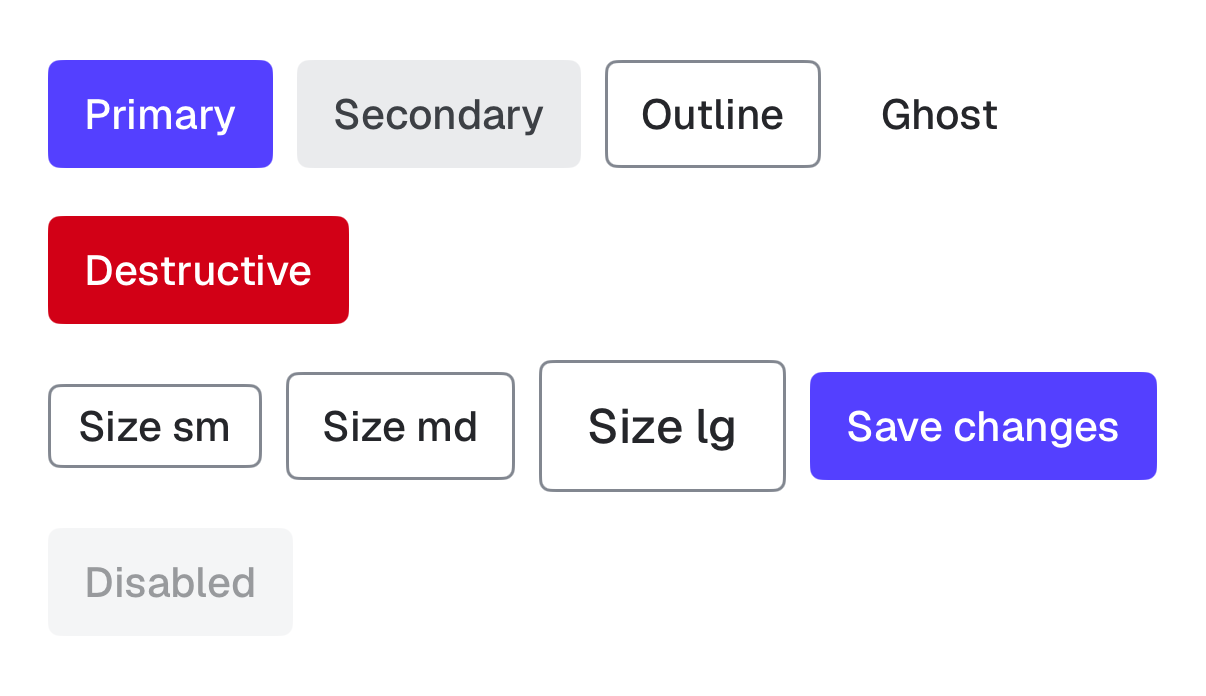
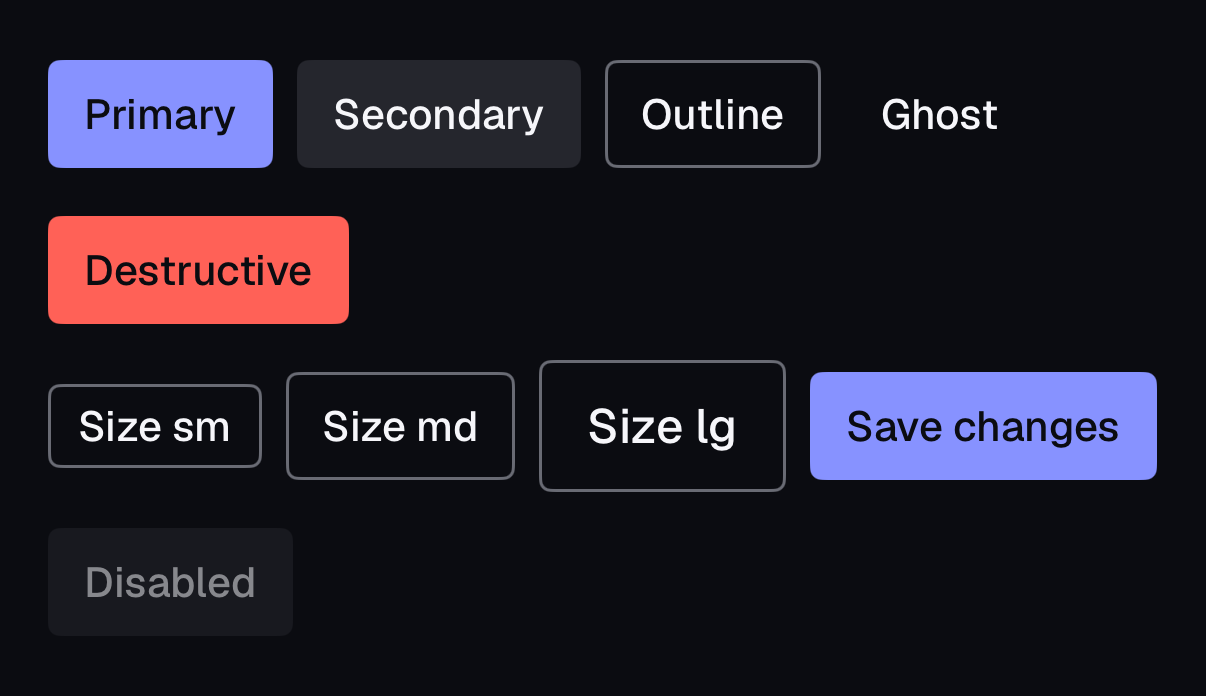
Variants
button-variants.tsx
import { Button } from '@/components/ui/button'

export default function ButtonVariants() {
  return (
    <div className="flex flex-wrap items-center gap-3">
      <Button>Save changes</Button>
      <Button variant="secondary">Duplicate</Button>
      <Button variant="outline">Export</Button>
      <Button variant="ghost">Cancel</Button>
      <Button variant="destructive">Delete project</Button>
    </div>
  )
}
Sizes
button-sizes.tsx
import { Plus } from 'lucide-react'
import { Button } from '@/components/ui/button'

export default function ButtonSizes() {
  return (
    <div className="flex flex-wrap items-center gap-3">
      <Button size="sm">Small</Button>
      <Button size="md">Medium</Button>
      <Button size="lg">Large</Button>
      <Button>
        <Plus aria-hidden="true" />
        New invoice
      </Button>
    </div>
  )
}
Loading
button-loading.tsx
'use client'

import { useState } from 'react'
import { Button } from '@/components/ui/button'

export default function ButtonLoading() {
  const [saving, setSaving] = useState(false)
  return (
    <Button
      loading={saving}
      onClick={() => {
        setSaving(true)
        setTimeout(() => setSaving(false), 2000)
      }}
    >
      {saving ? 'Saving…' : 'Save changes'}
    </Button>
  )
}
Native
The same component for iOS (SwiftUI, AcmeUI) and Android (Jetpack Compose, com.acme.ui), built on each platform's own controls with the same tokens.
AcmeButton
Swift
AcmeButton("Save changes") { save() }
AcmeButton("Delete", variant: .destructive, size: .sm) { delete() }
AcmeButton("Saving", isLoading: true) { }- A system Button with AcmeButtonStyle; hit area is at least 44×44pt around the 28/36/44pt visual height.
- isLoading keeps the button in the VoiceOver order with the value "Loading" and blocks repeat taps.
- Use .buttonStyle(AcmeButtonStyle(variant:)) to style any Button.
Props
| Prop | Type | Default | Description |
|---|---|---|---|
| variant | 'primary' | 'secondary' | 'outline' | 'ghost' | 'destructive' | 'primary' | Visual emphasis. One primary per view. |
| size | 'sm' | 'md' | 'lg' | 'md' | Height 28, 36 or 44px. Hit area is at least 44px on touch. |
| loading | boolean | false | Disables the button, keeps it focusable, sets aria-busy and shows a spinner. |
| type | 'button' | 'submit' | 'reset' | 'button' | Defaults to 'button'. Set 'submit' explicitly in forms. |
| render | ReactElement | function | — | Replace the rendered element (must stay a button-like element; for links use Link). |
Accessibility
| Key | Action |
|---|---|
| Enter | Activates the button |
| Space | Activates the button |
- Role
- button
- You provide
- Visible text, or use IconButton with a label.
- Built in
- Disabled buttons are exempt from contrast but still read as disabled (50% opacity, data-disabled).
- Loading keeps focus on the button so keyboard users stay in place.
- buttonVariants lives in button-variants.ts (server-safe) so server components can style links as buttons.
- WCAG 2.2 criteria
- 1.4.3, 1.4.11, 2.1.1, 2.4.7, 2.5.8, 4.1.2
Don’t
- More than one primary button per view.
- Use a Button for navigation.
- Change the label while loading without aria-labelledby (keep the label stable).
Tokens
- color.primary
- color.primary-foreground
- color.primary-hover
- color.secondary
- color.accent
- color.input
- color.destructive
- color.destructive-hover
- color.ring
- radius.md
- size.control.*