Wave 1
Field
Groups a label, control, description and error, and wires their ARIA relationships.
Install
Terminal
pnpm dlx shadcn@latest add @acme/fieldOr import from the package: import { Field } from '@acme/react'
Examples
Validation
field-validation.tsx
'use client'

import { Form } from '@base-ui/react/form'
import { Button } from '@/components/ui/button'
import { Field, FieldDescription, FieldError, FieldLabel } from '@/components/ui/field'
import { Input } from '@/components/ui/input'

function validateUsername(value: unknown) {
  const v = String(value ?? '')
  if (v && v.length < 3) return 'Use at least 3 characters.'
  if (v && !/^[a-z0-9-]+$/i.test(v)) return 'Use only letters, numbers and dashes.'
  return null
}

/** Validation runs on blur and on submit; errors are linked to the input and announced. */
export default function FieldValidation() {
  return (
    <Form className="flex max-w-sm flex-col gap-6" onSubmit={(e) => e.preventDefault()}>
      <Field validationMode="onBlur" validate={validateUsername}>
        <FieldLabel>Username</FieldLabel>
        <Input name="username" autoComplete="username" required />
        <FieldDescription>At least 3 characters. Letters, numbers and dashes.</FieldDescription>
        <FieldError match="valueMissing">Enter a username.</FieldError>
        <FieldError />
      </Field>
      <div>
        <Button type="submit">Create account</Button>
      </div>
    </Form>
  )
}
Basic
We send invoices here.
input-basic.tsx
import { Field, FieldDescription, FieldError, FieldLabel } from '@/components/ui/field'
import { Input } from '@/components/ui/input'

export default function InputBasic() {
  return (
    <div className="flex max-w-sm flex-col gap-6">
      <Field>
        <FieldLabel>Work email</FieldLabel>
        <Input
          type="email"
          name="email"
          autoComplete="email"
          placeholder="name@company.com"
          required
        />
        <FieldDescription>We send invoices here.</FieldDescription>
        <FieldError match="valueMissing">Enter your work email.</FieldError>
        <FieldError match="typeMismatch">Enter an email like name@company.com.</FieldError>
      </Field>
      <Field disabled>
        <FieldLabel>Account ID</FieldLabel>
        <Input defaultValue="acct_4821" />
      </Field>
    </div>
  )
}
Native
The same component for iOS (SwiftUI, AcmeUI) and Android (Jetpack Compose, com.acme.ui), built on each platform's own controls with the same tokens.
AcmeTextField / AcmeSelect (description:, error:, isRequired:)
Swift
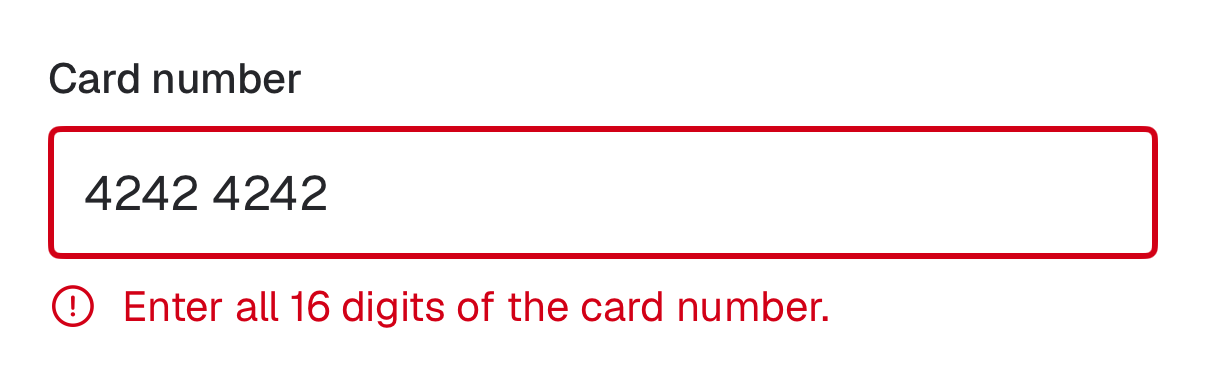
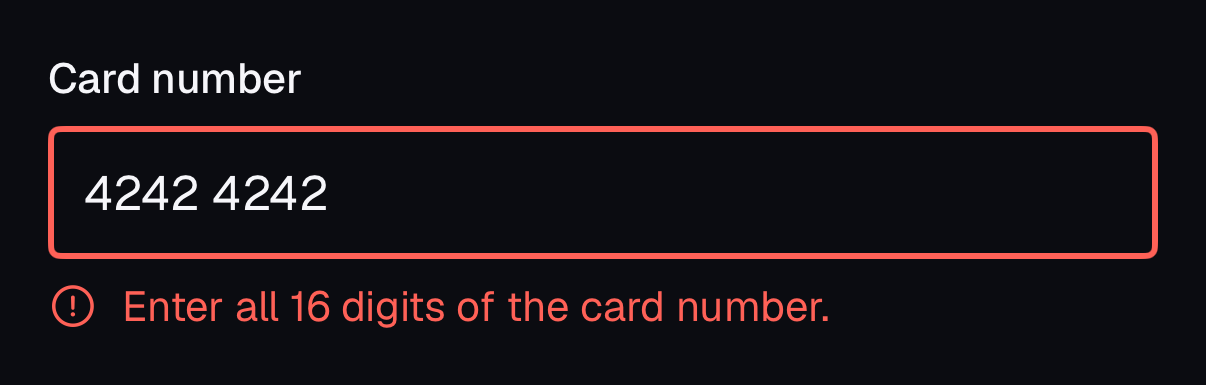
AcmeTextField("Card number", text: $card, error: "Enter all 16 digits of the card number.")- The error replaces the description, shows an icon, and becomes the VoiceOver hint.
Props
| Prop | Type | Default | Description |
|---|---|---|---|
| validationMode | 'onSubmit' | 'onBlur' | 'onChange' | 'onSubmit' | When to validate. |
| invalid | boolean | — | Force the invalid state, e.g. from a server error or a form library. |
| disabled | boolean | — | Disables the label and control together. |
| FieldError.match | boolean | ValidityState key | — | Which validity state shows this error (valueMissing, typeMismatch, tooShort…). true always shows it. |
Accessibility
- You provide
- Exactly one FieldLabel per Field.
- Built in
- Description and error are linked with aria-describedby; the control gets aria-invalid.
- FieldError shows an icon plus text, never color alone.
- WCAG 2.2 criteria
- 1.3.1, 1.4.1, 3.3.1, 3.3.2, 3.3.3, 4.1.2
Don’t
- Show errors only as a red border.
- Validate on every keystroke for fields people are still typing.
Tokens
- color.muted-foreground
- color.destructive